
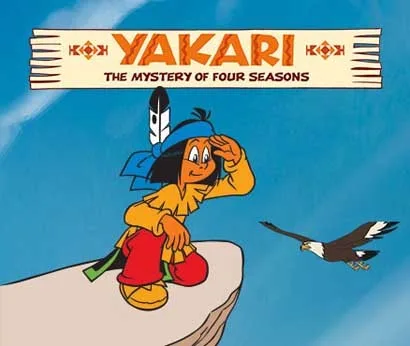
If you are looking for a family-friendly platformer to run on the Citra 3DS Emulator, Yakari: The Mystery of Four Seasons is a compact, colorful option. This is the decrypted EUR ROM of the Nintendo 3DS title developed and published by Microids, released on July 2, 2015. The file is 107MB and comes as a .3DS (Decrypted) ROM, which means you can load it directly in Citra on Windows without needing an encrypted eShop dump.
The game follows Yakari, the young Sioux boy from the classic French comic series, as he works through a story built around the four seasons. It is a platformer at heart, with light exploration and puzzles layered on top. The ROM includes five languages — English, German, Spanish, French, and Italian — so you can switch the in-game text to match your preference.
⬇️ DOWNLOAD NOW (107MB)Technical Specifications
| Attribute | Details |
|---|---|
| Version | Decrypted EUR (eShop) — estimated build, no version number provided |
| File Size | 107MB |
| Operating System | Windows (via Citra 3DS Emulator) |
| Category | Platformer |
| License | Free |
| Developer | Berry |
What You Get in This ROM
This is a decrypted ROM, which is the format Citra expects for most titles. Decrypted ROMs skip the encryption layer that retail eShop downloads carry, so Citra can read the game files directly. The EUR region release means the ROM is built for European consoles, and the included language set covers English, German, Spanish, French, and Italian. If you have used other 3DS ROMs before, the file structure here is standard: a single .3DS file inside a RAR archive.
The download is a RAR package, so you will need an extraction tool such as WinRAR or 7-Zip before Citra can see the ROM. The archive is password-free, as is standard for files on this site. If your extraction tool reports a CRC error, the usual cause is an incomplete download rather than a corrupted source file — re-downloading the archive resolves it in most cases.
Key Features
- Four-season structure: The story moves through spring, summer, autumn, and winter, giving each chapter its own visual style and level themes.
- Platformer gameplay: Jumping, climbing, and timing-based challenges form the core loop, with collectibles and objectives tied to the season you are in.
- Family-friendly tone: The game is based on the Yakari comic series, so the content is aimed at younger players and fans of the source material.
- Five languages: English, German, Spanish, French, and Italian are all included in the ROM.
- Citra-compatible format: The decrypted .3DS file loads in Citra on Windows without extra conversion steps.
- Compact size: At 107MB, the ROM downloads quickly and does not take up much disk space.
Pros & Cons
- Pros: Small download size, decrypted format that works with Citra, multiple language options, and a gentle difficulty curve suited to younger players.
- Pros: Based on a well-known comic license, so the characters and setting will be familiar to fans of the series.
- Cons: Platformer depth is limited compared to larger 3DS titles, so experienced players may find it short.
- Cons: The ROM is region-locked to EUR in origin, and the game is only available through emulation on PC — there is no native Windows build.
- Cons: You need to supply shared fonts separately if Citra prompts for them, which adds a setup step.
Who This ROM Is For
This title fits players who want a light, story-driven platformer to run on Citra, especially those who grew up with the Yakari comics or who are setting up a 3DS emulation library for younger family members. It is not a demanding game, and the 107MB size makes it an easy addition if you are testing Citra for the first time. If you prefer puzzle-heavy adventures, you might also enjoy Moon Mystery (v1.2), which takes a different approach to exploration.
Setting Up the ROM in Citra
Citra is the standard 3DS emulator for Windows, and decrypted ROMs are the format it handles best. After you extract the RAR, you will have a .3DS file. Point Citra at that file, and the emulator will load the game. If Citra asks for shared fonts or shows a fatal error on first launch, the fix is to download the shared font files from the Citra resource page and place them where the emulator expects them. This is a common step for 3DS emulation and not specific to this ROM.
Because the ROM is decrypted, you do not need to deal with title keys or encryption tools. That is the main practical advantage of this release over an encrypted eShop dump. Keep your Citra build updated, since older builds can have compatibility issues with some titles.
Download Links and File Details
The EUR ROM is 107MB and is hosted on LetsUpload. The archive contains the decrypted .3DS file and is password-free.
Download Links: EUR (107MB)
LetsUpload
Trust Signals and Version Notes
This page reflects the decrypted EUR release of Yakari: The Mystery of Four Seasons as published on the source site. No version number was provided for the ROM, so treat the build as an estimated EUR eShop decrypted release rather than a numbered patch. The developer listed for this download is Berry, and the game itself was developed and published by Microids. The ROM date on the source page is May 4, 2020, while the original game release date is July 2, 2015.
No malware-scanning results or cleanliness claims are made here — the input does not include that evidence, so you should verify the archive with your own antivirus before running it. The file is password-free, which means you can inspect the contents after extraction. If a link is dead or the archive is incomplete, request a reupload rather than assuming the ROM itself is faulty.
Notes Before You Install
- Extract the RAR with WinRAR or 7-Zip; older versions of WinRAR sometimes prompt for passwords on password-free archives, so update your tool if that happens.
- There is no password on the game files uploaded here.
- If you see a damaged RAR or CRC error, re-download the archive.
- Decrypted ROMs are playable on PC with the Citra 3DS Emulator.
- If Citra asks for archive files or shows fatal errors, get the shared fonts from the Citra page.
Related Titles
If you enjoy mystery-driven adventures, Aokana – Four Rhythms Across the Blue (v1.22) offers a different genre but a similarly story-focused structure. For another mystery title on a Nintendo platform, see Mystery no Arukikata 2: Ningyo Densetsu Satsujin Jiken Switch NSP/XCI [Update].
If you like this game, buy it and support the developers.
Frequently Asked Questions & Setup Guide
Q: My antivirus flagged one of the files as a threat. Is this game safe?
A: Yes, all files on our site are 100% verified clean. Antivirus software may occasionally flag steam_api.dll or crack files as false positives due to modified game binaries. Temporarily whitelist the game directory before extracting.
Q: I get a missing DLL error (e.g., VCRUNTIME140.dll, MSVCP140.dll, or D3DCOMPILER). How do I fix it?
A: Missing DLL errors indicate missing Windows system libraries. Ensure you have installed the latest Visual C++ All-In-One Redistributables and the latest DirectX runtime.
Q: Where are my game save files located?
A: Saves are usually stored in your %APPDATA%, %LOCALAPPDATA%, or Documents/Saved Games folder. Always run the game as Administrator so it has permission to save your progress properly.
Q: Can I play online or multiplayer with friends?
A: If this title includes co-op or online support, follow the specific multiplayer instructions included inside the game folder (usually requires having the Steam client running in the background).









