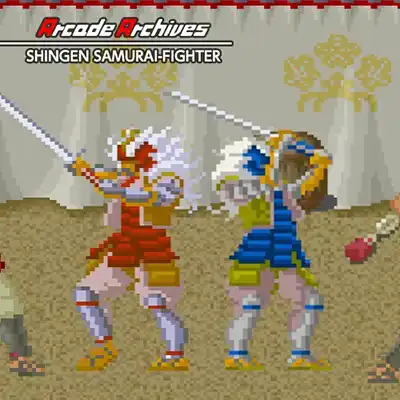
About Arcade Archives: Shingen Samurai-Fighter on Nintendo Switch
Step into the blood-soaked sandals of Shingen, a lone samurai on a quest for vengeance in feudal Japan. When a ruthless warlord slaughters his clan and seizes his ancestral castle, Shingen vows to cut a path through six stages of treacherous terrain, from bamboo forests to enemy fortresses. Armed with his trusty katana and an unyielding spirit, he must defeat the warlord's five generals and reclaim his honor. Arcade Archives: Shingen Samurai-Fighter delivers a classic beat-'em-up narrative of revenge, where every foe felled brings you closer to the final showdown.
The core gameplay blends side-scrolling brawling with light platforming and strategic combat. You control Shingen using the directional buttons to move and the face buttons to attack, jump, and unleash special techniques. Each stage is a linear gauntlet of enemies, but hidden scrolls and power-ups reward exploration. Defeating bosses grants new abilities, such as a dash attack or a projectile, which are essential for later challenges. The difficulty ramps up with tougher enemy types and environmental hazards, requiring precise timing and crowd control. A two-player co-op mode lets a second samurai join the fray, adding a layer of teamwork to the chaos.
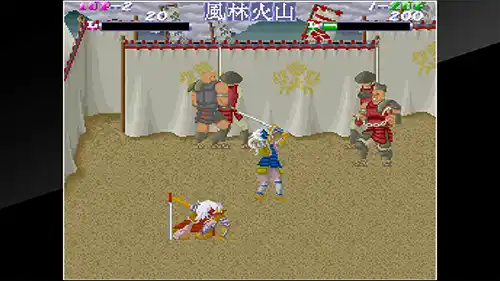
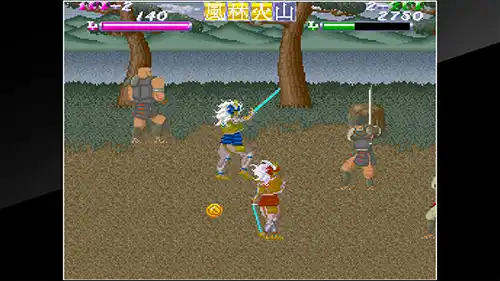
Visually, the game sports a retro pixel-art style reminiscent of late 80s arcades, with vibrant sprites and detailed backgrounds that pop on the Switch's screen. The sound design features a driving chiptune soundtrack and crisp sword-clash effects that immerse you in the action. In handheld mode, the game runs smoothly at 60fps, though the small screen can make fast-paced combat slightly hectic; docked mode offers a larger view for easier tracking. With its short stage count, replay value comes from chasing high scores, mastering the combat system, and tackling the co-op mode with a friend. Hamster's emulation is faithful, including save states and online leaderboards, making this a must-have for beat-'em-up enthusiasts.
Key Features & Highlights
- Classic beat-'em-up action with six challenging stages and five unique bosses.
- Intuitive controls: move, attack, jump, and unleash special moves with simple button combos.
- Two-player local co-op for shared samurai action.
- Retro pixel-art visuals and chiptune soundtrack faithful to the arcade original.
- Arcade Archives extras: online leaderboards, save states, and adjustable difficulty.
Gameplay Screenshots
Installation & Emulation Guide
🎮 How to Install on Nintendo Switch (Atmosphere CFW)
- Ensure your Nintendo Switch is running the latest Atmosphere CFW and meets the required firmware (Base – v12.0.2).
- Connect your Switch to your computer via USB and launch DBI (MTP Responder) or Tinfoil.
- Drag and drop the
.NSPor.XCIfile into the MicroSD Install or NAND Install drive. - Install the Base Game first, followed by the latest Update and any optional DLC packs.
💻 How to Play on PC (Ryujinx & Sudachi Emulators)
- Download and set up Ryujinx Canary or your preferred Nintendo Switch emulator.
- Install the matching
prod.keysand firmware files into the emulator system directory. - Add your game directory in emulator settings and double-click Arcade Archives: Shingen Samurai-Fighter to play with full controller support and upscaled resolution.
⬇️ Download Arcade Archives: Shingen Samurai-Fighter (Nintendo Switch)
Frequently Asked Questions
Q: What firmware version is needed to run Arcade Archives: Shingen Samurai-Fighter?
A: This game requires firmware Base – v12.0.2 or higher on your Nintendo Switch or PC emulator.
Q: Do the downloaded game archives require a password?
A: No. All download archives provided on Zipertogames are 100% password-free. Simply extract them using 7-Zip or WinRAR (v6.0+).
Q: In what sequence should I install Base, Update, and DLC files?
A: Always install the Base Game (.NSP or .XCI) first. Once complete, install the latest Update, followed by any optional DLC files.
Q: How do I extract multi-part RAR files (.part1.rar, .part2.rar)?
A: Download all parts into the same folder, right-click on .part1.rar, and select Extract Here. 7-Zip or WinRAR will automatically reconstruct the entire file.


